
Photos
Translate menus from a photo
Read Japanese and other foreign-language menus on your iPhone. Start with the image summary, then compare the translated dishes with the menu before ordering.
Download Unelo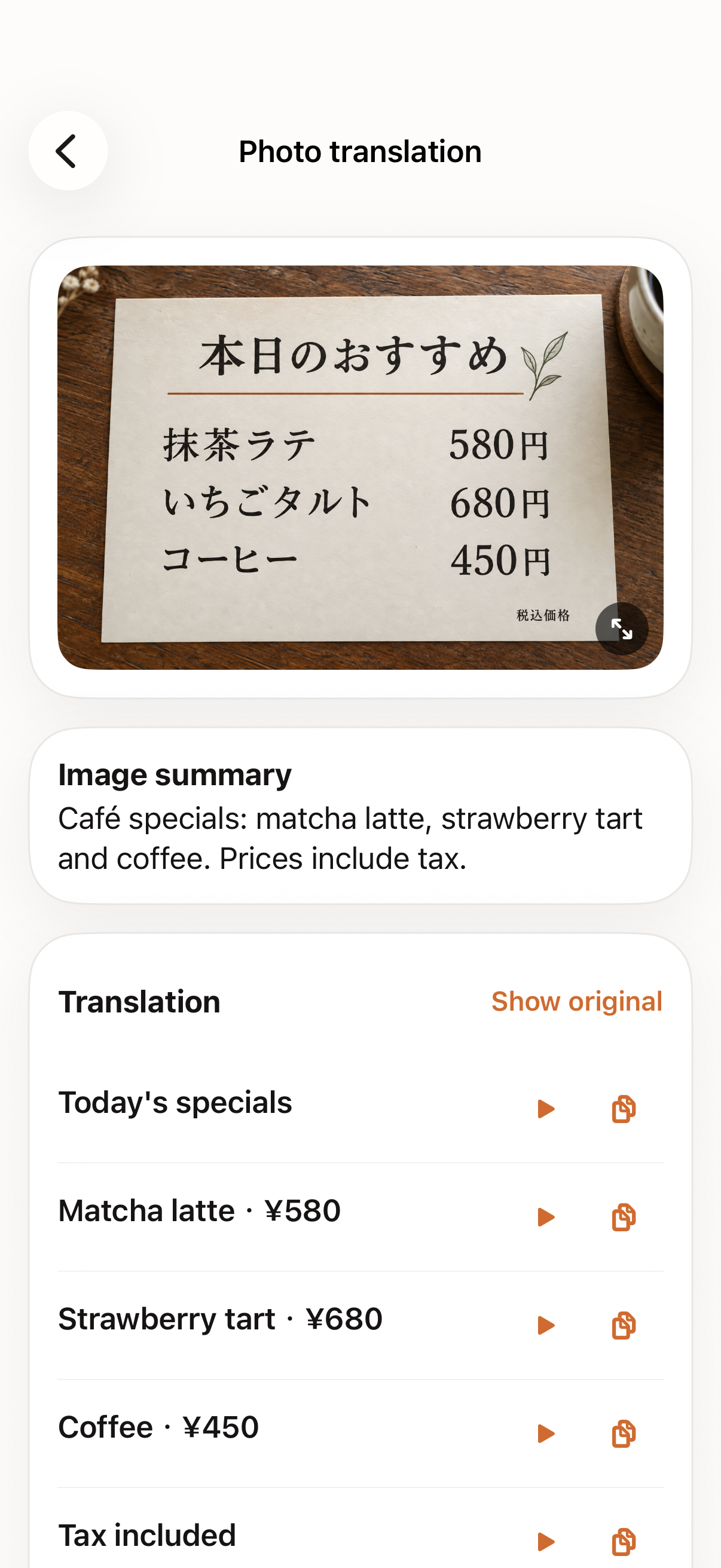
Three steps to understanding.
Take a clear photo of the menu or choose one from your library.
Crop to the dishes you want to read and choose your translation language.
Read the image summary and translation; match dish names and prices to the original.
Tips for ordering
Avoid glare and keep the text in focus.
Crop one section at a time if the menu is crowded.
Check dish names and prices with the staff before ordering.
Questions, answered.
Can I translate a Japanese menu?
Yes. Japanese is in the app’s translation language list. Photograph the menu clearly and choose the language you want to read.
Why start with the image summary?
It helps you understand the context before reading individual dishes. Check details in the translated text and original menu.
Can I rely on translated prices and dish names?
AI can make mistakes. Compare prices and names with the original menu and confirm important details with the staff.
AI translations can make mistakes. Check important details against the original.
More ways to translate
PhotosTake Unelo with you.
Translate photos, text, and voice with ease.
Download UneloHelp make Unelo better
We’re looking for 50 people to try Unelo and share honest feedback. Selected participants receive the Lite plan with 10,000 credits.